Figma alternative · For designers

A Figma alternative with full visual and CSS control.

Scamp is a free, open-source design tool for designers who want full authorship over the work they ship. Craft layouts visually or drop into raw CSS, collaborate with AI coding agents on your real design files, and hand developers production-ready TSX and CSS — no export step, no Dev Mode.

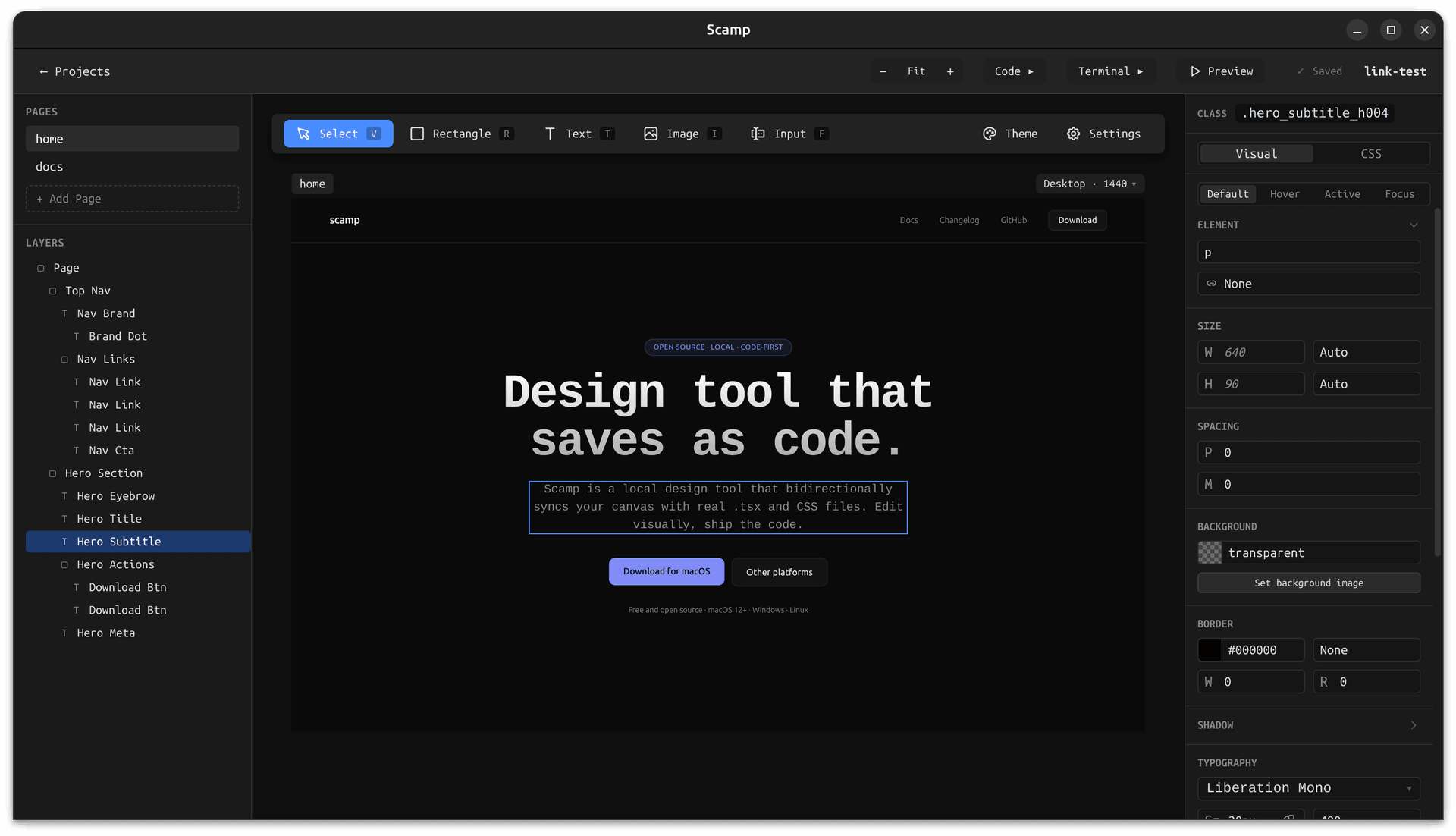
Scamp showing a visual design canvas next to the generated TSX and CSS code

Scamp vs Figma at a glance

Both are design tools. They give designers different kinds of control and produce different outputs. Here is how they compare when your goal is shipping real, styled components.

FigmaScamp
Where designs liveCloud-only, stored in Figma's databaseReal files in your own project folder
Design outputProprietary .fig files; PNG / SVG export; Dev Mode snippetsProduction-ready TSX components and CSS Module files
Account requiredYes — Figma account and workspaceNo — download and open a project
PricingFree tier, then paid editor seatsFree. Source available under BSL on GitHub
Works offlineLimited — requires connection for most actionsFully offline. No network calls required
Version controlBuilt-in versioning inside FigmaNative git — designs are plain files you can commit
AI coding agentsPlugins or external integrationsBuilt-in terminal runs any CLI agent in your project folder
Sync with codeOne-way via Dev Mode or pluginsBidirectional — edit code or canvas, both update
Design tokensFigma Variables (paid)Plain CSS custom properties in theme.css

What makes Scamp different

Four concrete differences that matter when you are shipping production code.

Full visual and CSS control on the same canvas.

Scamp gives you visual controls for layout, spacing, color, and type — and a direct CSS editor for everything else. Theme tokens, semantic tags, and responsive breakpoints are all first-class instead of hidden behind prototypes or plugins. Design exactly what will ship.

AI coding agents work on your real design files.

A built-in terminal opens in your project folder, so any CLI agent (Claude Code, Codex, Cursor CLI, Gemini CLI) can read and write the same TSX and CSS Modules the canvas renders. When the agent saves, the canvas hot-reloads — AI becomes a design collaborator, not a separate tool.

Handoff to developers is a pull request.

Every page is a .tsx file and a .module.css file on your disk. Commit them, open a PR, and the developer reviews real code — not a PNG with measurements. There is no Dev Mode, no plugin export, and no re-implementation step.

Your work stays yours.

Scamp is local-first. Designs live in a folder you choose, never on a Scamp server. You can put them inside an existing repo, hand them off, or keep going without Scamp — everything is plain code you own. See the trust page for exactly what Scamp reads and writes.

Switching from Figma

Questions people ask before switching

Is Scamp really a 1:1 replacement for Figma?

No — and it is not trying to be. Scamp is a focused design tool for designers who want their work to ship as real code. It does not do freeform whiteboarding, multiplayer cursors, brand work, or generic vector illustration. If you need Figma for those workflows, keep using it. Use Scamp for the UI design that is meant to become product.

Can I import Figma files?

Not today. Scamp's input is its own canvas and the TSX/CSS files on your disk. If there is demand for a Figma importer, it may come in the future — track progress on the GitHub repo.

What file format does Scamp save designs in?

Scamp saves designs as real React and CSS code: one .tsx file and one .module.css file per page, plus a shared theme.css for design tokens and an agent.md with instructions for AI coding agents. Everything is plain text you can read, edit, diff, and commit.

Does Scamp support responsive design?

Yes. Scamp has a breakpoint system (desktop, tablet, mobile by default) that maps directly to @media (max-width: N) rules in the generated CSS. You can add or customize breakpoints per project.

Does Scamp work with my team's framework?

Scamp generates React TSX and CSS Modules, which drop cleanly into Next.js, Remix, Vite + React, and most React-based frameworks. The output is framework-agnostic React — no Scamp runtime or wrapper required, so your developers can take the files as-is.

What happens if I stop using Scamp?

You keep all your work. A Scamp project is just a folder of TSX and CSS files — open it in any editor, commit it to any repo, delete Scamp, and the code keeps running. There is no lock-in.