
Obsess over the details again.

Scamp is a design tool for the age of AI. Every rectangle you draw, every style you set, saves as real code. Work alongside coding agents without ever losing the craft.

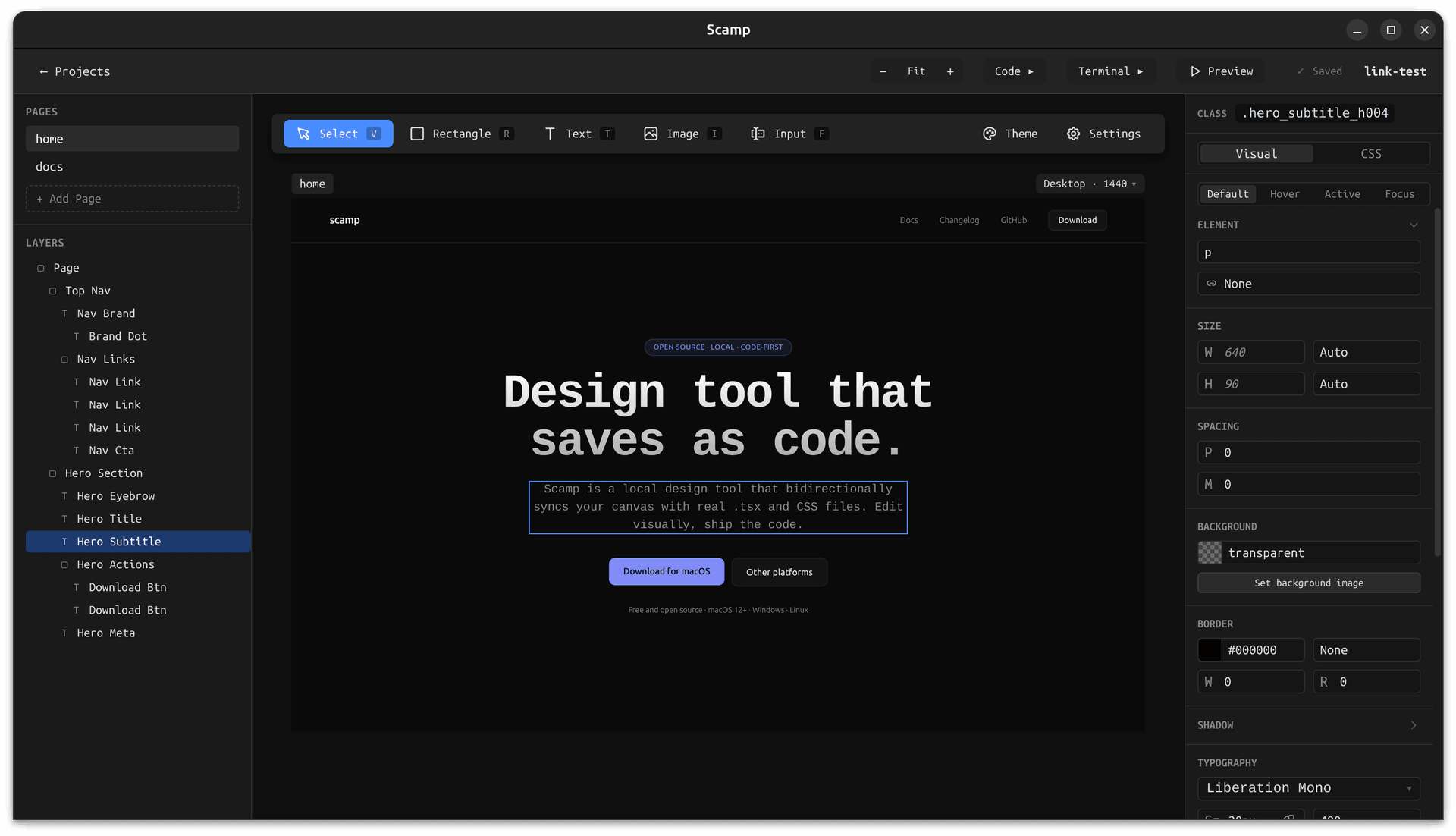
Scamp app showing a layers panel, canvas with a landing page design, and the CSS inspector panel open

Free · Open source · Works offline · Plain TSX and CSS files on your local disk

Real output

Your design is the code.

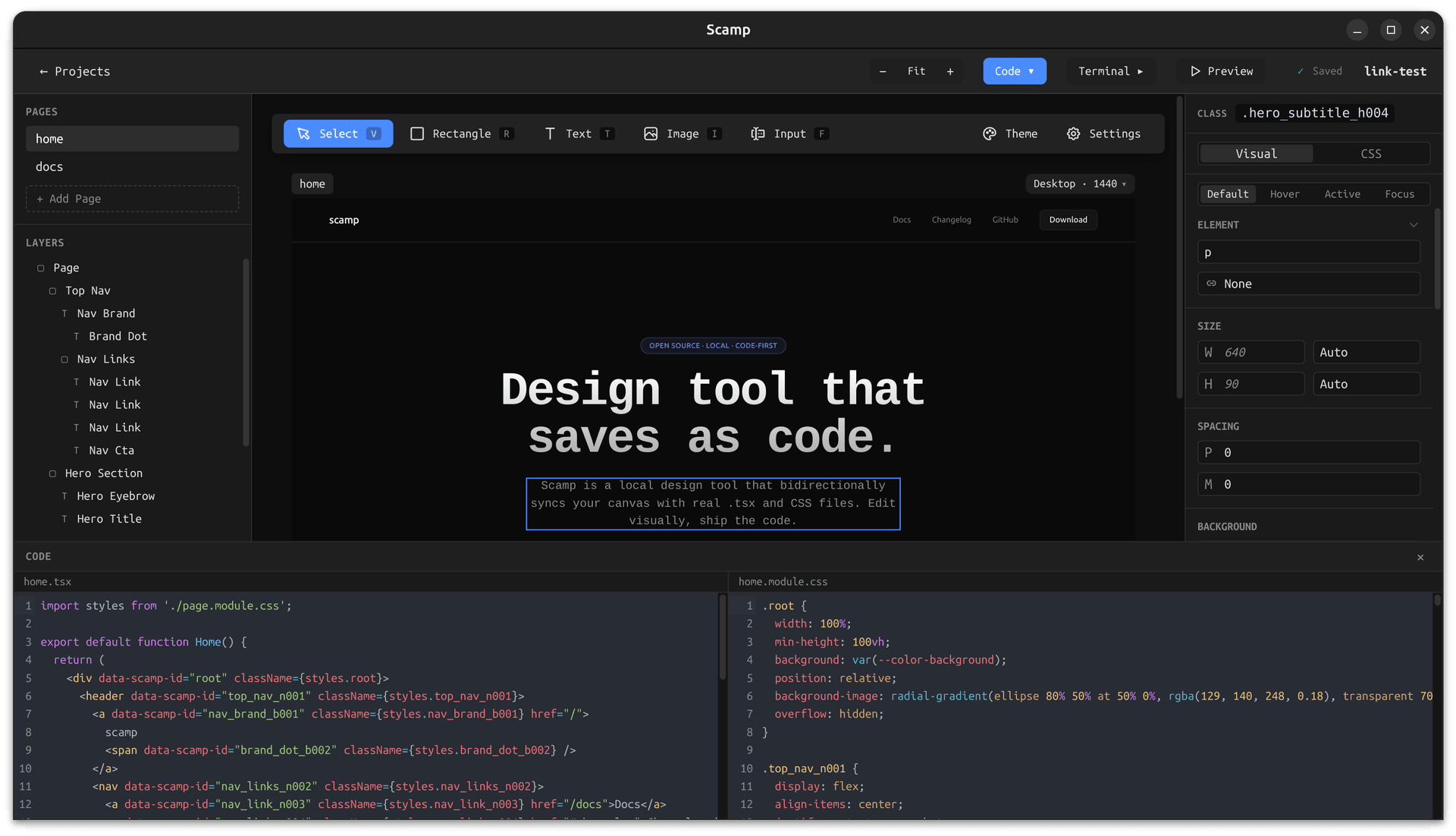
Every rectangle you draw becomes a real div. Every style you set becomes a real CSS class. Scamp doesn't export or compile, it just writes files. Open your project in any editor and the generated TSX and CSS Modules are already there, exactly as you'd write them yourself.

Scamp with the code panel open, showing the generated TSX and CSS Modules files for the current design
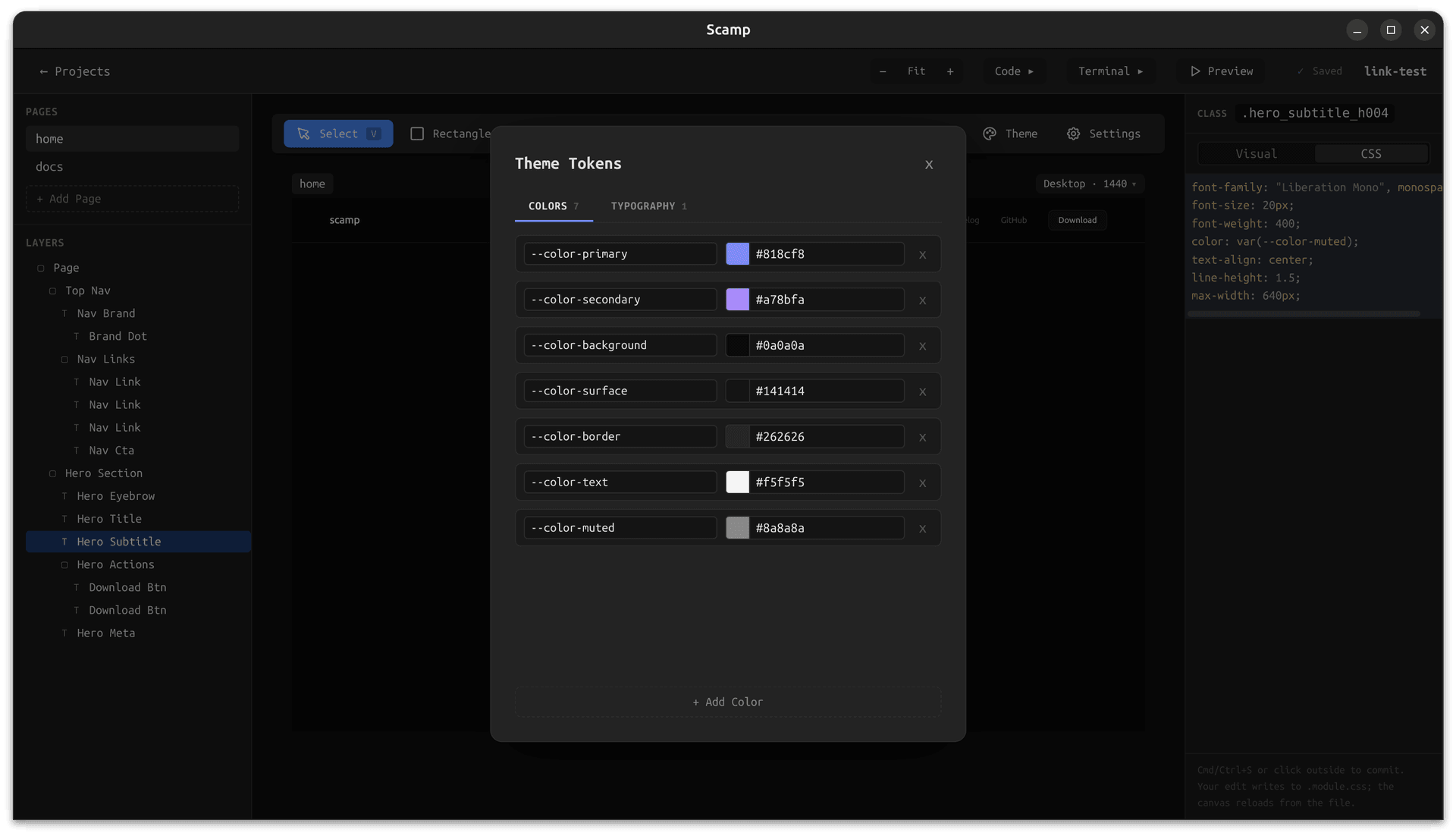
Scamp with a theme tokens modal open, editing CSS custom properties that update the canvas live

Bidirectional sync

Edit code, see it live.
Edit visually, see the code.

Scamp watches your project files. Edit the CSS in your editor, run a coding agent, or change a value directly in the terminal. Scamp picks up the change and updates the canvas instantly. No import step, no sync button — the files are always the source of truth.

Built-in terminal

Run your agent.
Right here.

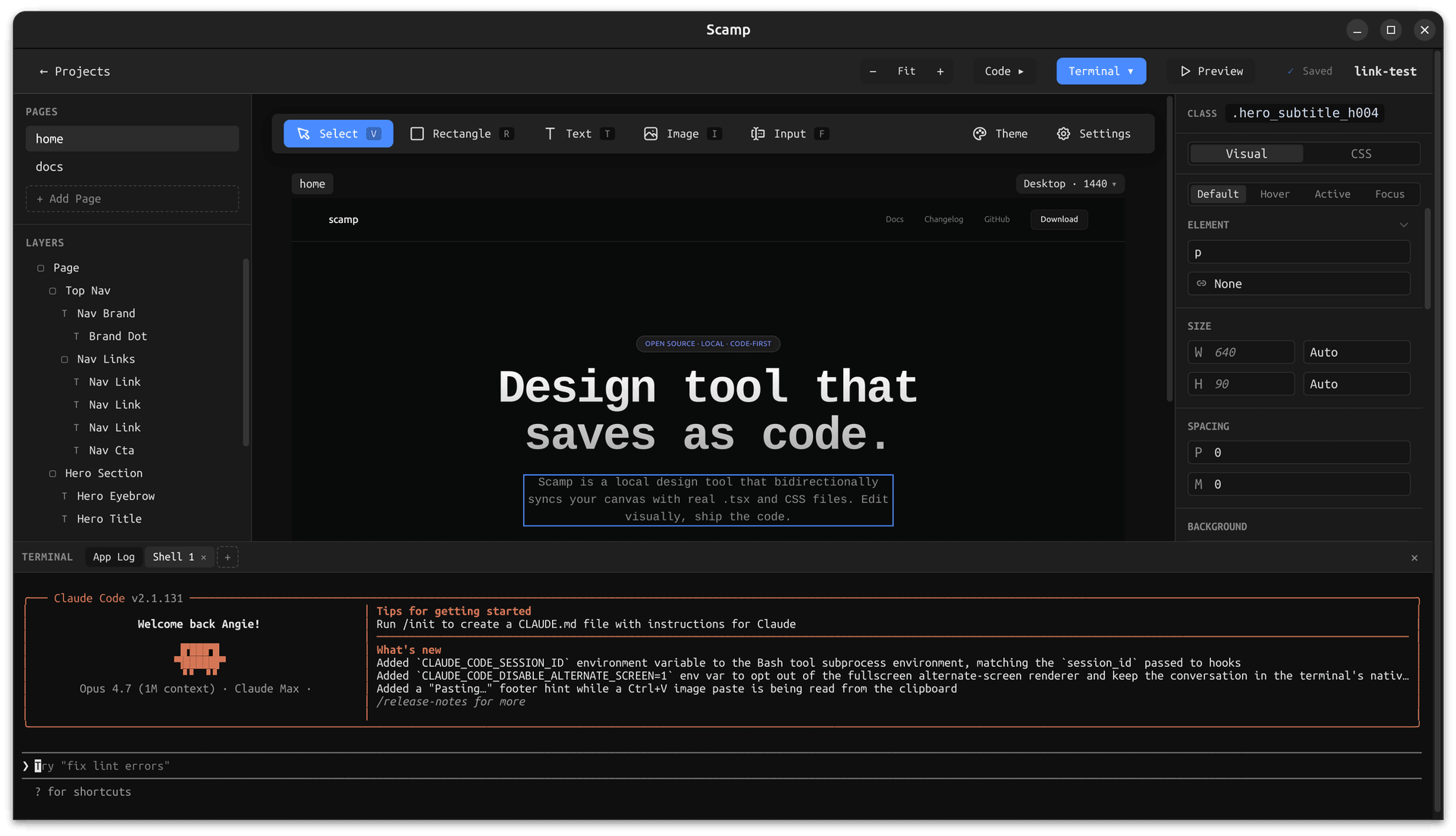
Scamp has a built-in terminalthat opens in your project folder. Run Claude Code, or any other coding agent you already use. The agent reads your project's instructions file, edits your layout files, and Scamp reloads the canvas automatically. No copy-pasting. No context switching.

Scamp with the built-in terminal panel open at the bottom, ready to run a coding agent in the project folder

Opens in your project folder

No setup. The terminal starts in the right place every time.

Reads agent.md automatically

Your project conventions are always in the agent's context.

Canvas reloads on every save

Agent edits show up on the canvas without touching it.

Local-first

No cloud. No account.
Just a folder.

Scamp saves to wherever you tell it. Put your project inside an existing git repo, a client folder, or anywhere on your machine. Every page is just a TSX file and a CSS Modules file. You can open them in VS Code, commit them to GitHub, hand them to a teammate, or ship them directly — no export, no lock-in.

Works with git

Your project is a real folder. Commit, branch, and PR like normal.

No account needed

Download and open a project. That's it. No login, no subscription.

Standard file format

TSX and CSS Modules. Nothing proprietary, nothing custom.

Who is it for

Built for designers who want control.

Scamp is a design tool first — made for designers who want full authorship over how their work renders, and want handoff and AI workflows to stop being a bottleneck. Designer-developers and developers are welcome too. See how Scamp compares to Figma for a side-by-side breakdown.

Designers

Full control over your design.

You care about the craft — the exact padding, the right line-height, the typographic detail. Scamp gives you both visual controls and direct CSS access on the same canvas, so you design what actually ships instead of what a tool can mock up.

  • Pixel-level visual controls plus raw CSS editing
  • Responsive breakpoints and semantic HTML tags
  • Theme tokens shared across every page

Designers using AI

Your AI works on real design files.

You want to use Claude Code, Cursor, or other agents in your workflow — but only if they operate on the real thing. Scamp's built-in terminal runs any CLI agent against your actual design files, and the canvas updates the moment the agent saves.

  • Terminal opens in your project folder
  • AI reads and writes the same files you edit
  • Canvas hot-reloads on every agent save

Designer-developers & devs

Handoff is just a pull request.

You cross between design and code, or you're a developer who sketches. Every page in Scamp is a .tsx and .module.css file on disk — commit it, review it, and ship it like any other component. No Dev Mode, no re-implementation.

  • Plain TSX + CSS Modules in your repo
  • Open a Scamp project in VS Code at any time
  • No proprietary format, no export step

FAQ

Frequently asked questions

What is Scamp?

Scamp is a free, open-source design tool built for designers. Draw layouts visually and style them with both visual controls and raw CSS on a local canvas. Scamp saves each page as production-ready TSX and CSS Module files on your computer — so the thing you design is the thing that ships.

Who is Scamp for?

Designers first. Scamp is for designers who want full control over how their work renders — real typography, theme tokens, responsive breakpoints, and direct CSS access — and who want AI and developer handoff to actually work. Designer-developers and developers who sketch are a secondary audience and welcome.

How is Scamp different from Figma?

Figma gives you a visual mockup stored in the cloud. Scamp gives you full visual and CSS control on a local canvas, and saves every page as real TSX and CSS Module files on your disk. You design what actually ships — no Dev Mode, no re-implementation, no account required.

How does Scamp help with AI workflows?

Scamp has a built-in terminal that opens in your project folder, so any CLI coding agent (Claude Code, Codex, Cursor CLI, Gemini CLI) can read and write the same files the canvas renders. You can prompt the agent to add a section, tweak styles, or refactor — and the canvas updates the moment the agent saves.

How does handoff to developers work?

Your designs are already code. Hand the developer a pull request instead of a Figma link: real .tsx and .module.css files they can read, review, and ship. There is no export step, no spec doc, and no 'translate this mockup to React' task on their backlog.

Is Scamp free?

Yes. Scamp is free to download and use under the Business Source License (BSL). The source code is published on GitHub and you can build it yourself.

Does Scamp work offline?

Yes. Scamp is local-first. All files are read from and written to your own machine, and you do not need an internet connection to design, save, or run a project.

What data does Scamp access?

Only the project folder you point it at. Scamp does not upload your designs, send telemetry about your layouts, or sync files to any cloud service. Everything is a plain file on your disk — see the /trust page for the details.

Do I need to know how to code to use Scamp?

No. You can design in Scamp using only the visual controls and never touch the CSS editor if you don't want to. The CSS access is there for designers who want finer control — it is an option, not a requirement.

Download Scamp.

Free and open source. No account required.

macOS

Apple Silicon
macOS 12+

Windows

Windows 10+
x64

Linux

.deb / .AppImage
x64

v1.0.0 · Release notes · View source on GitHub ↗

Or build from source:

git clone https://github.com/angiehemans/scamp
cd scamp && npm install && npm run build